
Employee Management Platform
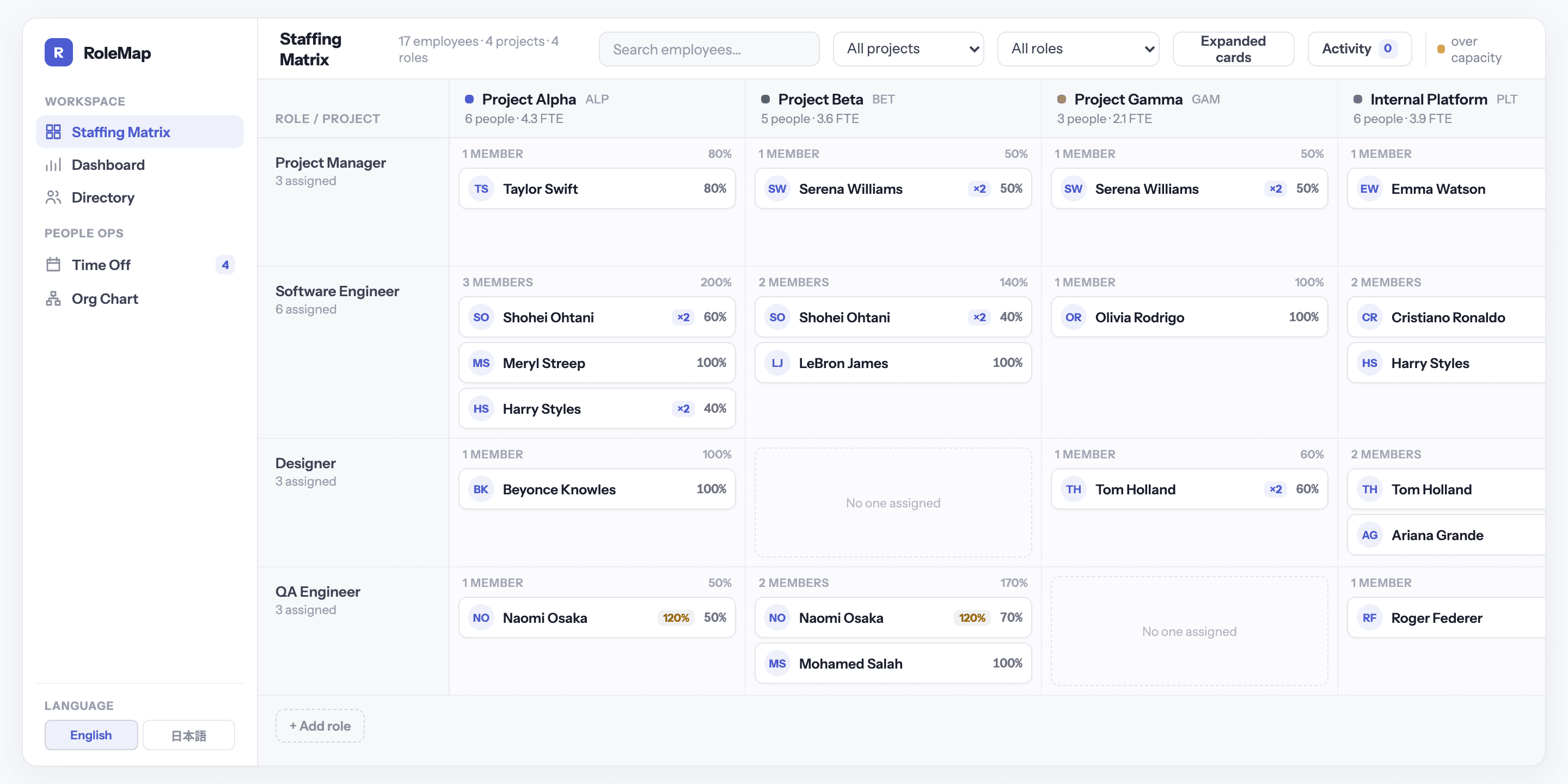
A staffing tool for teams where the same people work on several projects at once. Assign someone on screen, the totals update instantly, and anyone stretched too thin is flagged before it becomes a problem.
Overview
Who is on which project, and in what role? Seventeen people across four projects, all visible in a single table. Allocation totals are calculated automatically, skills are scored so weak spots stand out, and time off shows up in the same view. The client got back the hours they had been spending fixing the workbook, and a plan the whole team could read. The screens here run on stand-in data, with real names and project names replaced.
The problem
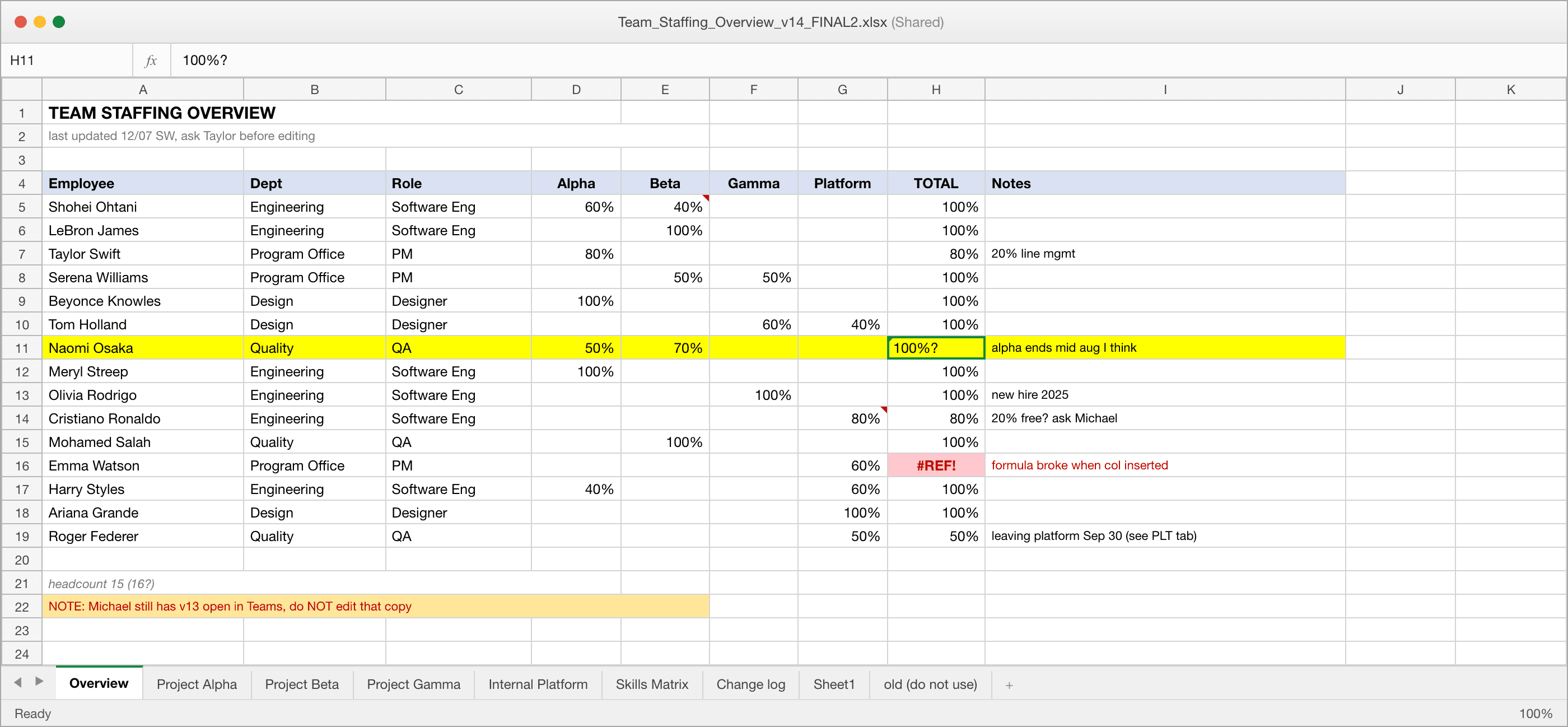
The team ran staffing out of one shared workbook, and it failed the same way every time. The same person appeared on three tabs with three different percentages. Someone inserted a column and half the totals turned into errors. Skills were recorded as “good” or “needs work”. One person was leaving the team in two weeks, and that fact lived in a cell comment nobody read. The workbook we started from had a change log whose last entry read “not written down anywhere”.
In the workbook
- The same person listed on several tabs, each showing a different allocation
- Totals typed by hand, with formulas that broke whenever a column was added
- Skills written as notes, so nobody could tell which teams were lacking
- Departure dates and time off buried in cell comments and email threads
In the platform
- No duplicate entries, so allocation totals always add up
- Anyone over 100% is flagged right away, not discovered later
- Skills scored 1 to 5 per team, so gaps are easy to spot
- Every change is saved to an activity log, so nothing gets lost
What We Did
Capacity at a glance
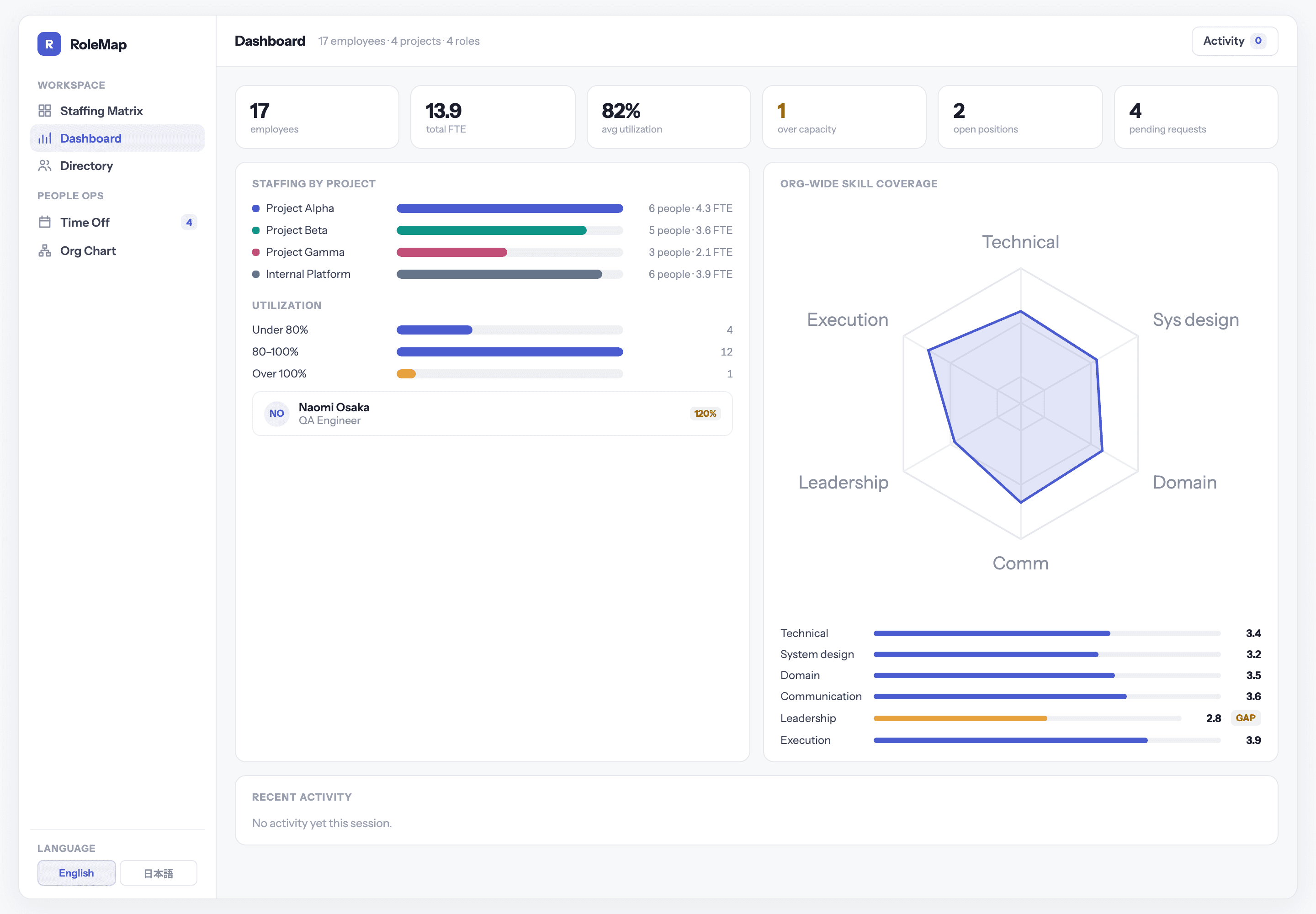
Headcount, total workload, average utilization and anyone over capacity, shown next to a skill chart for the whole organisation. Open positions and pending time-off requests are on the same screen, so a planning conversation can start and finish in one place.
Skill coverage per team
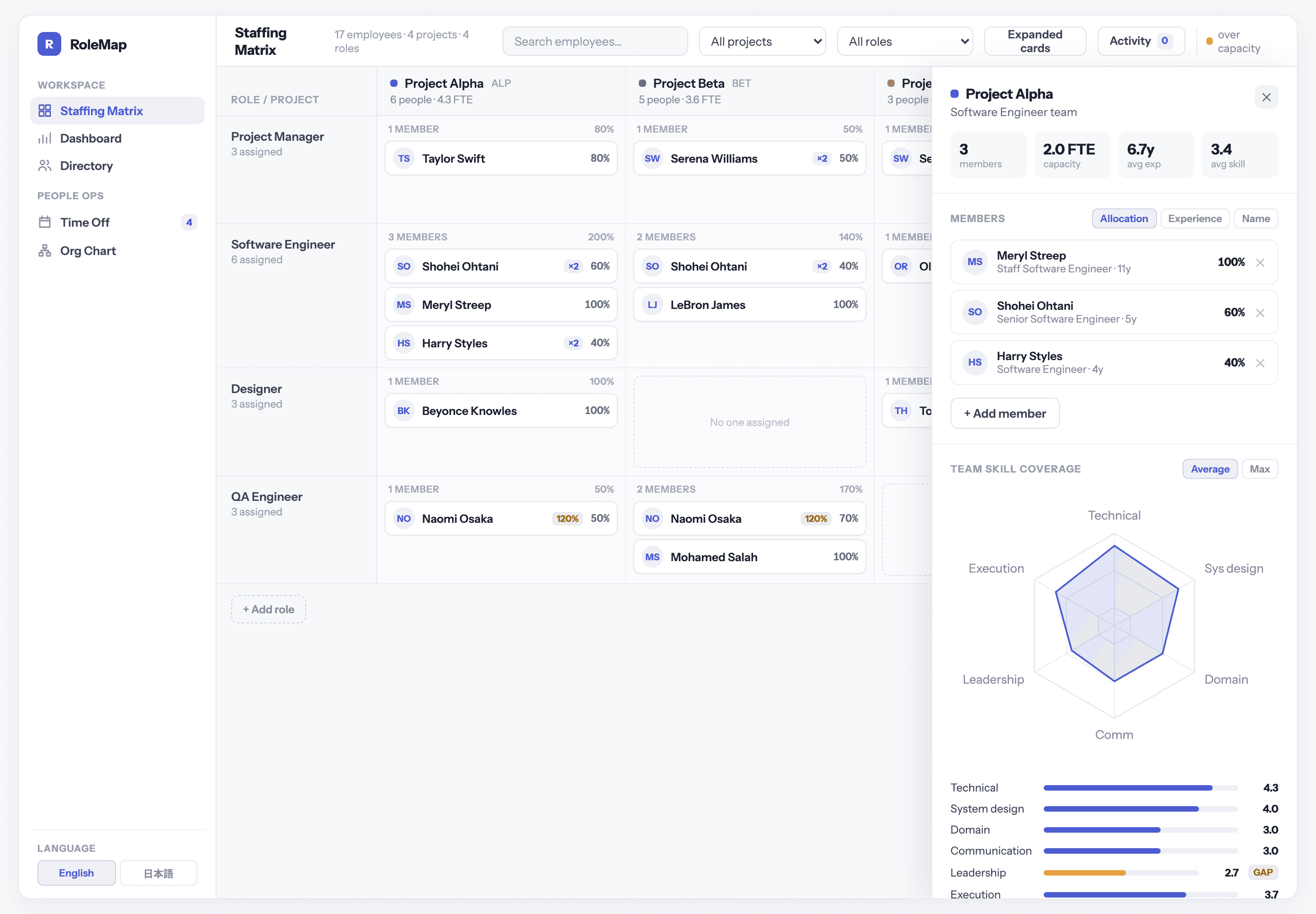
Select a team to see who's on it, their average experience, and one chart that combines everyone's skill scores. Skills are rated 1 to 5, and any team average below 3.0 is flagged as a gap, so it's clear exactly which role and which skill is missing.
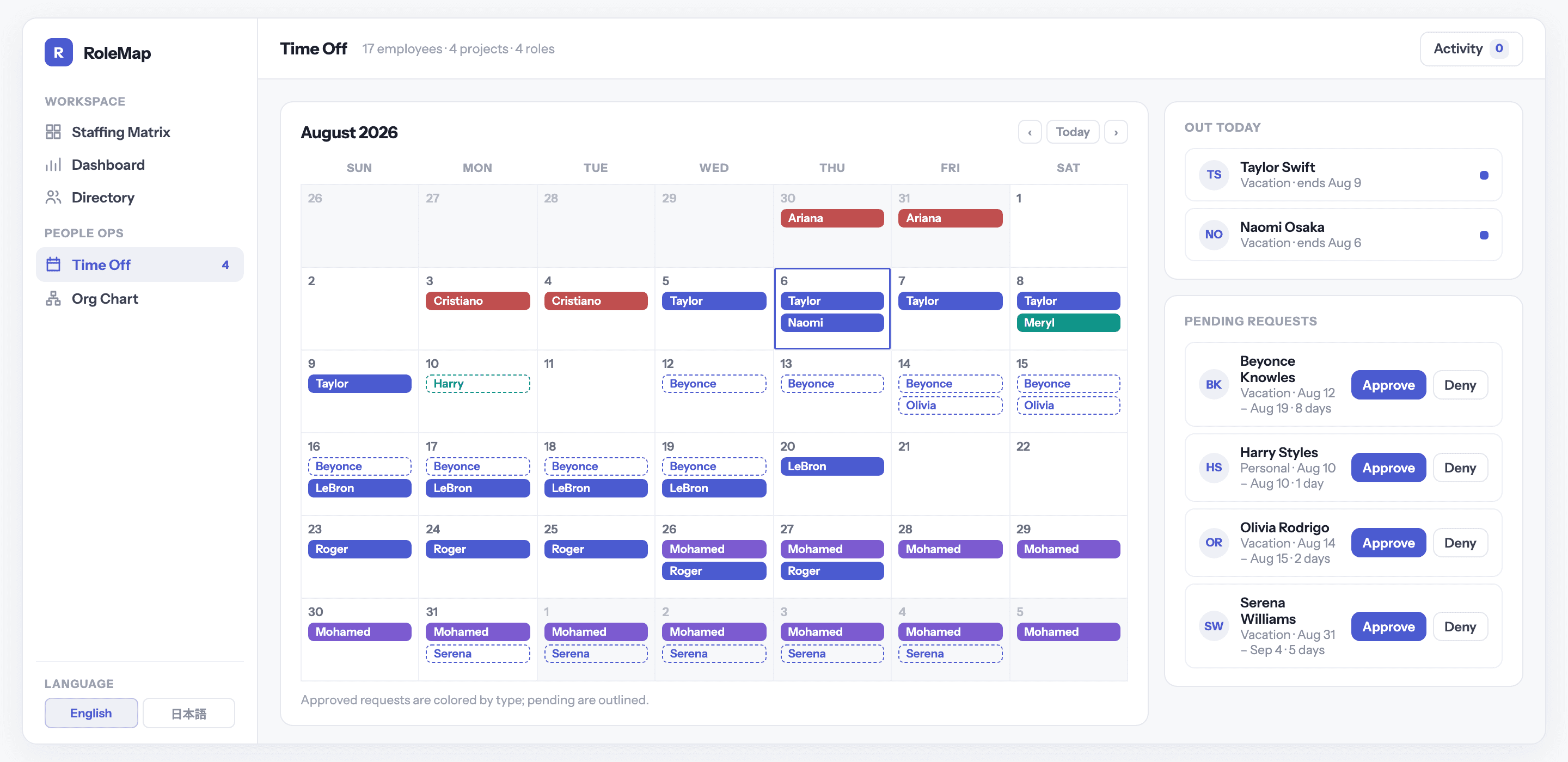
Time off that affects the plan
A monthly calendar color-coded by leave type, with pending requests next to it. Approving a request updates the calendar, the counters and the activity log at once, so time off and staffing are never out of sync.
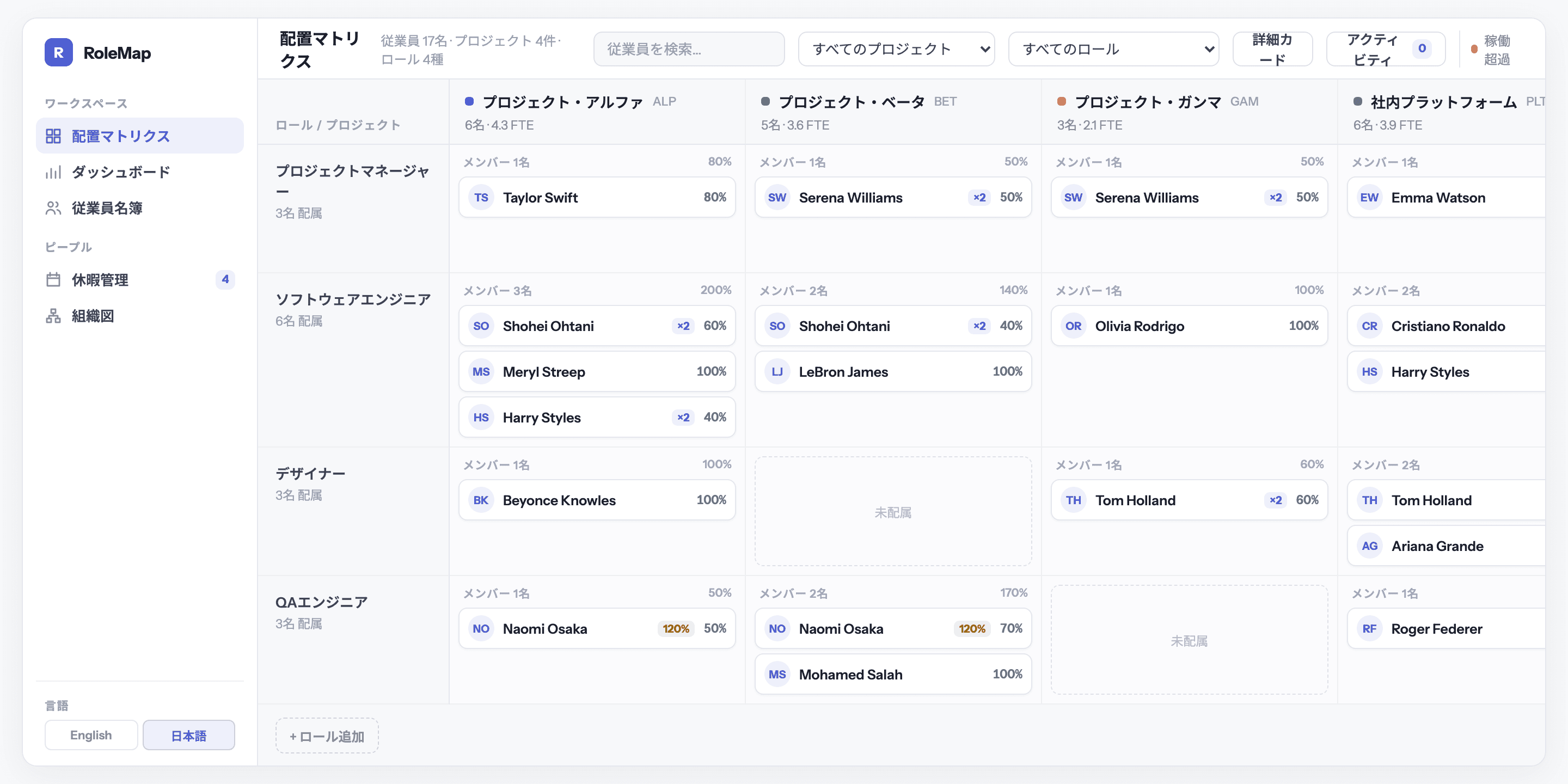
The same screen in Japanese
Roles, projects, statuses and counters all have Japanese versions, switched from the sidebar. Dates and numbers follow Japanese formatting too, not just translated labels.